Product photo 1 of 2 · click to zoom
Smart Stair Lighting LED Controller – Single Colour, 5–20 Light Points, Motion-Activated Sequential Lighting, 12V DC
Not sure which LED kit fits your stairs?
Send us your stair measurements or a photo — a stair specialist will help you choose.
An intelligent single colour LED stair controller for 5 to 20 light points, which lights your stairs step by step as you walk up or down.
The controller senses movement from the top or bottom of the stairs and switches each step on in sequence. It also recognises when two people use the stairs at once, one from the top and one from the bottom. You can set the number of steps, step-by-step or smooth operation, ignition and lighting times, standby behaviour and standby brightness.
Key Features
- Movement control on the stairs from top to bottom and from bottom to top
- Handles two users at once – one entering from the top and one from the bottom
- Step-by-step or smooth operating mode
- Adjustable light point ignition time from 0.25 seconds to 5 seconds
- Adjustable light point extinguishing time from 10 seconds to 3 minutes
- Three standby modes: nothing lights up, the end light points light up, or all light points light up
- Adjustable standby brightness from 0 to 50% of the light source power
- Continuous lighting function
- Half-landing movement support (via the continuous lighting function)
Technical Details
- Version: 5–20 light points
- Supply voltage: 8–15V DC, typically 12V DC
- Current consumption (controller only): 20mA
- Power consumption (controller only, at 12V): 0.25W
- Load capacity: up to 1A per channel (step)
- Operating ambient temperature: 5–35°C
Controller Layout
- Buttons (micro-switches) M, +, -, S: programming buttons
- PS: continuous lighting input – all light points light up when shorted
- PG: short-circuit input for the top-down sensor
- PD: short-circuit input for the bottom-up sensor
- Inputs 1–20: inputs for each channel in turn
- -12V: negative power supply input
- +12V: positive power supply inputs
Sequential Ignition and Extinguishing
If the second sensor is activated before the lighting effect reaches the end, an opposite effect starts and the two effects meet along the way – the controller recognises that a second person has entered the stairs from the other side. If the effect reaches the end and the second sensor is then triggered, the controller recognises that the person is leaving the stairs and switches the lights off in the same direction as they came on.
Installation
- 1. Connect the (-) of each LED strip, LED bulb, etc. to the matching channel of the controller (step 1 to channel 1, step 2 to channel 2 and so on).
- 2. Connect all the (+) LED strips, LED bulbs, etc. together, then connect them to the +12V of the LED power supply.
- 3. Connect the 230/12V power supply to the controller, making sure -12V goes to the -12V socket and +12V to the +12V socket.
- 4. Fit a jumper on the PS socket, then connect the 230V supply – if everything is connected correctly, all lights will turn on.
- 5. Turn off the power and remove the PS jumper.
- 6. Connect the motion/twilight sensors. They should ideally be installed 25–35cm above the ground. After installation, check the voltage reaching each sensor – it should be at least 12V, preferably 12.05V. For white sensors, close the sensor after connecting the cables, as it will not work correctly if left open.
- 7. Programme the controller following the instructions below without skipping any steps.
Connecting to a one-sided barrier sensor: terminal 1 to -12V, terminal 2 to +12V, terminal 3 to PD or PG, and terminal 4 to PD or PG.
Programming
Entering programming mode: turn off the 12V DC power, press and hold the M button, then turn the 12V DC power back on. Three flashes of LEDs 1 to 5 show that the controller is in programming mode. The first step is setting the number of steps (light points).
Number of steps (light points) – no LED lit: the default is 5 light points. LED 2 flashes to show the number set. Use + and - to choose the number of steps; each press triggers an LED sequence, so wait for it to finish before pressing again. Confirm with S to move on to the operating mode.
Operating mode – LED 5 lit: the default is smooth mode. Press + for step-by-step mode or - for smooth mode (shown by LED 1). Confirm with S to move on to the ignition speed.
Step ignition speed – LED 4 lit: choose from 20 ignition times between 0.25 and 5 seconds; each press of + or - changes the setting by 0.25 seconds. + lengthens and - shortens the time (shown by LED 1). Confirm with S to move on to the lighting duration.
Lighting duration after the user passes – LEDs 4 and 5 lit: the default is 10 seconds and can be set from 10 seconds to 3 minutes. LED 1 shows the setting – each flash adds 10 seconds (1 to 18 flashes). + lengthens and - shortens the duration. Confirm with S to move on to standby mode.
Standby mode (no one on the stairs) – LED 3 lit: there are 3 standby modes, shown by LED 1: a. no light points light up (one flash – default); b. all light points light up at the set power (two flashes); c. the end light points light up at the set power (three flashes). Use + or - to change the mode. After pressing S, go on to set standby brightness if you chose b or c. If you chose a, press M to end programming – three flashes of all red LEDs 1 to 5 confirm the settings are saved.
Standby brightness – LEDs 3 and 5 lit: brightness is shown by LED 1. Press + to brighten or - to dim, then confirm with S. A single flash of all red LEDs 1 to 5 shows the setting is complete. Press M to save and end programming – three flashes of all red LEDs 1 to 5 confirm the settings are saved.
Please Note
Warning – take care when installing the controller:
- Connect the +12V and -12V wires correctly – reversing them can damage the processor.
- When the controller is on, do not touch the solder side of the circuit board – this can cause a surge and damage the processor.
- When the controller is on, do not touch wires to the backs of passive and active components – this can cause a surge and damage the processor.
- Do not connect +12V to the controller channels or to the PD, PG or PS sockets – this can cause a surge and damage the processor.
Finish the job in one order4 matching items for this LED kit — tick and add them together ShowHide


More stair led lighting
View all stair led lighting-
 12V 200W LED Power Supply – LED Driver Transformer, 17A Output, 5-Year Warranty
£115.06
12V 200W LED Power Supply – LED Driver Transformer, 17A Output, 5-Year Warranty
£115.06
-
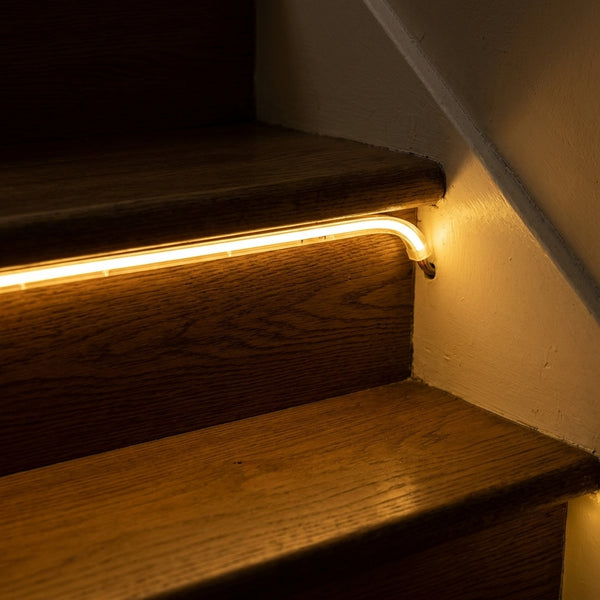 COB Neon LED Strip 1.2m Warm White – 12V DC, 8mm Self-Adhesive, Continuous Dot-Free Light, 950lm/m
£29.04
COB Neon LED Strip 1.2m Warm White – 12V DC, 8mm Self-Adhesive, Continuous Dot-Free Light, 950lm/m
£29.04
-
 COB Neon LED Strip 1m Warm White – 12V DC, 8mm Self-Adhesive, Continuous Dot-Free Light, 950lm/m
£24.74
COB Neon LED Strip 1m Warm White – 12V DC, 8mm Self-Adhesive, Continuous Dot-Free Light, 950lm/m
£24.74
-
 COB Neon LED Strip 1.2m Neutral White – 12V DC, 8mm Self-Adhesive, Continuous Dot-Free Light, 1050lm/m
£29.04
COB Neon LED Strip 1.2m Neutral White – 12V DC, 8mm Self-Adhesive, Continuous Dot-Free Light, 1050lm/m
£29.04


